
Guides · Updated August 26, 2026
How to track multiple DODAs at once without losing your mind
Checking one DODA is easy: open the portal, enter the integration number, read the result. If you have never done it, here is the step by step for checking with the SAT. One DODA is not the problem. The problem is fifteen, thirty or a hundred open at once, across different customs offices, with different clients asking. This guide is about moving from manual monitoring to automatic DODA tracking once the volume stops fitting in your day.
Why manual monitoring breaks at volume
Mexico's SAT portal is built to answer one question at a time, not to watch anything for you. Three things make it unworkable at scale:
- It never tells you when something changes. No subscription, no email, no webhook. If the status flipped to customs inspection forty minutes ago, you find out the next time you look.
- Every check costs steps. Depending on how you get in, you either authenticate with e.firma or CIEC on the trámites portal, or go through the validator with the integration number and its verification step. Seconds that multiply fast.
- It is one lookup at a time. There is no "give me the status of these thirty" mode.
Run the arithmetic with your own numbers. A proper check, counting opening the portal, entering the number, reading the result and writing it down wherever you keep it, takes one to two minutes. With thirty active DODAs, one full pass eats close to an hour, and staying current needs three or four passes a day: half of somebody's workday spent refreshing screens. Even then, the gap between passes is still measured in hours.
That gap is the real cost. Free storage days at a Mexican seaport are counted on one hand and at air customs there are fewer still, and container demurrage starts the moment your carrier's free days run out. Reacting late costs: the driver who left because no one confirmed, the dock appointment that slipped, the previo that was never scheduled. All of it is decided in the window between the SAT changing the status and someone seeing it.
How people track DODAs today, and why it fails
Before you buy anything, it is worth naming where each method breaks. All of them work with three shipments. None survives thirty.
- The shared spreadsheet. It fails because the data is exactly as old as the last time somebody typed it, and nothing in the sheet tells you when that was. Two people overwrite the same cell and no one knows which version is right.
- The WhatsApp group. Great for shouting, terrible for looking things up. By the fortieth shipment, yesterday's status is buried under two hundred messages, screenshots and voice notes. Nobody scrolls back to reconstruct a history.
- The person in charge of refreshing. Works as long as that person is around. They go to lunch, get sick, quit, and your DODA monitoring leaves with them. It is also the worst possible use of somebody who understands customs.
- Calendar reminders. Good for checking every two hours, useless for finding out when it happens. The traffic light does not wait for your reminder, and after the third alarm that turns up nothing, people start dismissing them.
The pattern is the same: every one of them depends on a human remembering. Automating the tracking is not a luxury, it is taking the remembering off a person's plate.
What a DODA tracker actually needs
If you are evaluating software for DODAs, ours or anyone else's, check these seven things. They separate a tool you keep from one you abandon in two weeks.
- Fast intake. If adding a DODA takes more than thirty seconds, you will not add all thirty. The minimum is typing the integration number; the comfortable version is dragging in the PDF receipt.
- A stated check frequency. It should tell you how often it polls. If it does not say, you do not know, and a DODA alert that lands two hours late is not an alert.
- Notifications in the channel you already live in. Email, browser push or WhatsApp. An alert sitting inside a dashboard you have to open is not an alert, it is one more screen to refresh.
- History with a timestamp on every change. When a client pushes back or a storage charge needs justifying, the question is always what time it changed. Without a log, your answer is a memory.
- Sharing without granting access. A read-only link for the client or the driver, with no account to create and no way into the rest of your board.
- Organization by client or project. Aliases and labels. Without them, at twenty shipments you are staring at a list of very long numbers that mean nothing to anybody.
- Transparency about the source. It should show the verbatim SAT message and link to the official portal. An app for tracking DODAs that reinterprets the status in its own words forces you to verify by hand, and saved you nothing.
How to organize dozens of DODAs
Tracking multiple DODAs is as much a naming problem as a technology one: a board with forty context-free numbers is as useless as no board at all.
Give every DODA an alias readable at a glance, and settle the convention before you load the first batch: client, internal reference, and something that places it. "Acme MX / REF-4471 / Manzanillo" tells anyone on your team whose it is, which file it ties to, and where it is coming in. Then label along the dimensions you actually filter by: client, customs office, project. That answers in two seconds the questions you get asked most: what does this client have moving, and what is stuck at that port.
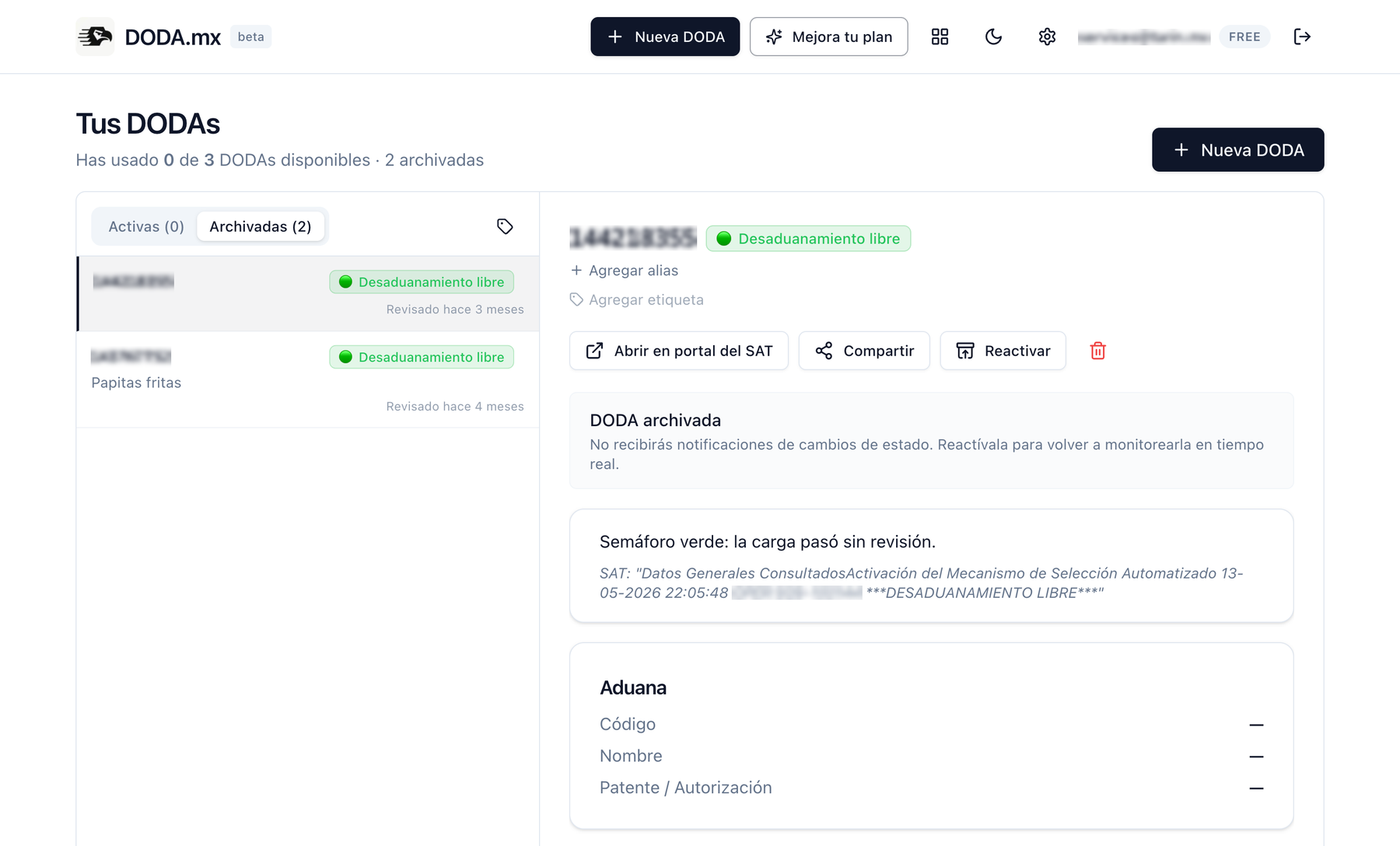
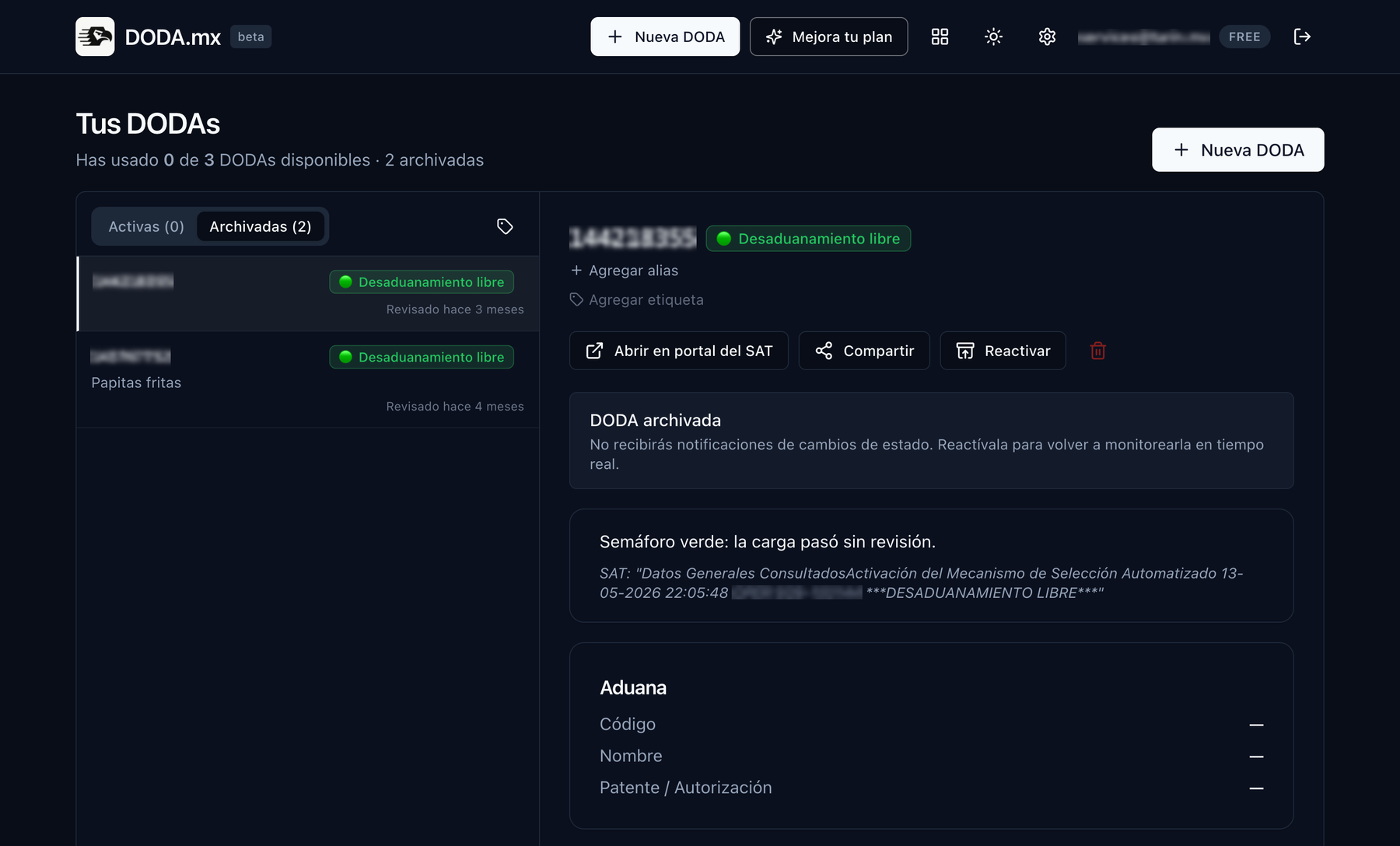
And clean up. A DODA in a final status is no longer pending work, it is clutter: archive it so it moves to history with its log and frees the slot. If your tool does not separate live from closed, you will end up hunting for the urgent one among the ones that already cleared.
What check frequency each operation needs
Not everything needs watching every five minutes, and pretending it does is the fastest way to train your team to ignore notifications. Set the frequency by the decision you make when the alert arrives.
- Every 30 minutes is enough when the cargo is not near the module yet, the delivery date has days of slack, or nobody is physically waiting. Finding out half an hour later changes nothing about what you do.
- Every 15 minutes is the sensible setting on the day of the operation: the cargo is heading to the module and you owe the client an answer within the shift.
- Every 5 minutes earns its keep in three cases: a driver waiting on confirmation to roll, a tight delivery window or dock appointment, and sensitive cargo where every hour in the yard costs money (perishables, reefers, project cargo with a crane on the clock). That is when you want to know whether you got green or red before the driver calls you.
The trick is not putting everything on maximum frequency, it is dialing one shipment up on the day it matters. And frequency does not speed up clearance: if you draw a customs inspection, the timeline belongs to the inspection, not to your dashboard. You gain reaction time, which is what you need to start moving pieces when you get red.
How DODA.mx handles it
DODA.mx is precisely that: a DODA tracker that queries the SAT for you and tells you when something changes. Drag in the PDF receipt and it pulls the integration number, or type it in. From there the system polls in cycles and notifies you by email, browser push or WhatsApp.
The free plan covers 3 active DODAs checked every 30 minutes. Pro, from 199 MXN a month, moves you to 25 active DODAs, checks every 15 minutes, an urgent mode that drops to every 5 minutes for an hour, labels, WhatsApp and unlimited history. Business is coming for larger teams, with 500 shared DODAs, unlimited users, roles, an API and webhooks. DODAs that reach a final status archive themselves and free the slot, so the limit is on live operations, not accumulated ones. Details are on pricing.
Every DODA keeps its own log with a timestamp on each change plus the verbatim SAT message, and you can share a read-only public link with your client or your driver. If you are planning with slack, it is worth reading how long customs clearance takes by operation type.
Let DODA.mx watch the SAT for you
Load your active DODAs in a couple of minutes and stop splitting the job of refreshing the portal across your team.
Create free accountUp to 3 active DODAs free. No credit card.